ONE CLICKBuy / Sell from the chart✦RISKlot size automatic✦STOP LINEdrag & place✦PLUSDuo & Move signals on the chart✦EXITBreak-Even · Move-Exit · Bewegungsstopp✦One-time paymentyours for lifeONE CLICKBuy / Sell from the chart✦RISKlot size automatic✦STOP LINEdrag & place✦PLUSDuo & Move signals on the chart✦EXITBreak-Even · Move-Exit · Bewegungsstopp✦One-time paymentyours for life
MetaTrader 5·Updates included
Trade panel for MetaTrader 5
Trade with one click. Right on the chart.
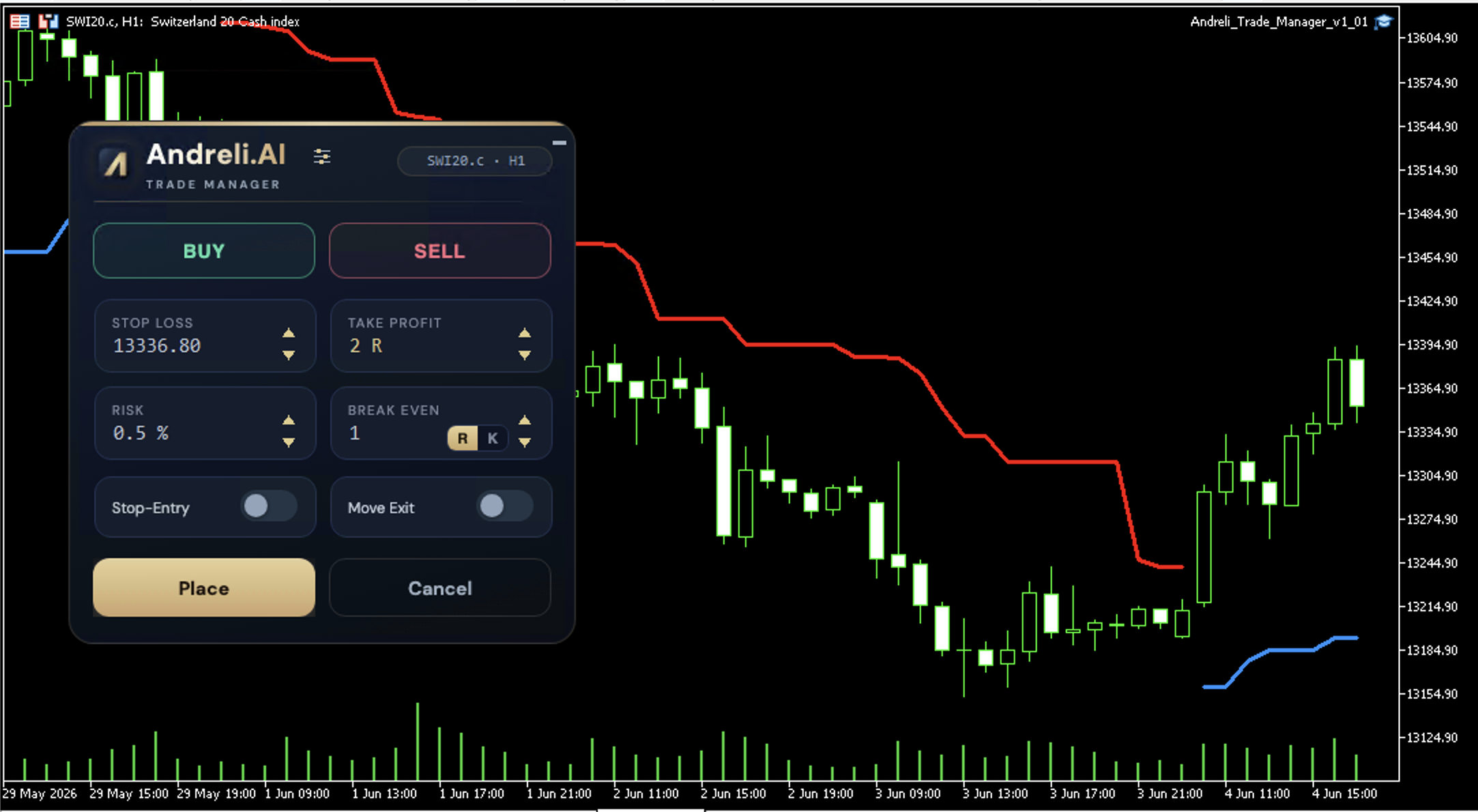
Working out the lot size, setting the stop, trailing trades by hand — one fat finger and your risk is off. You just enter your risk, drag the stop line and hit Place. Lot size, break-even and trailing are handled for you — the same on every trade.
Risk sized exactly to your account Exits run automaticallyPlus marks the setups on the chart
✦ One-time payment✦ yours for life✦ Updates included
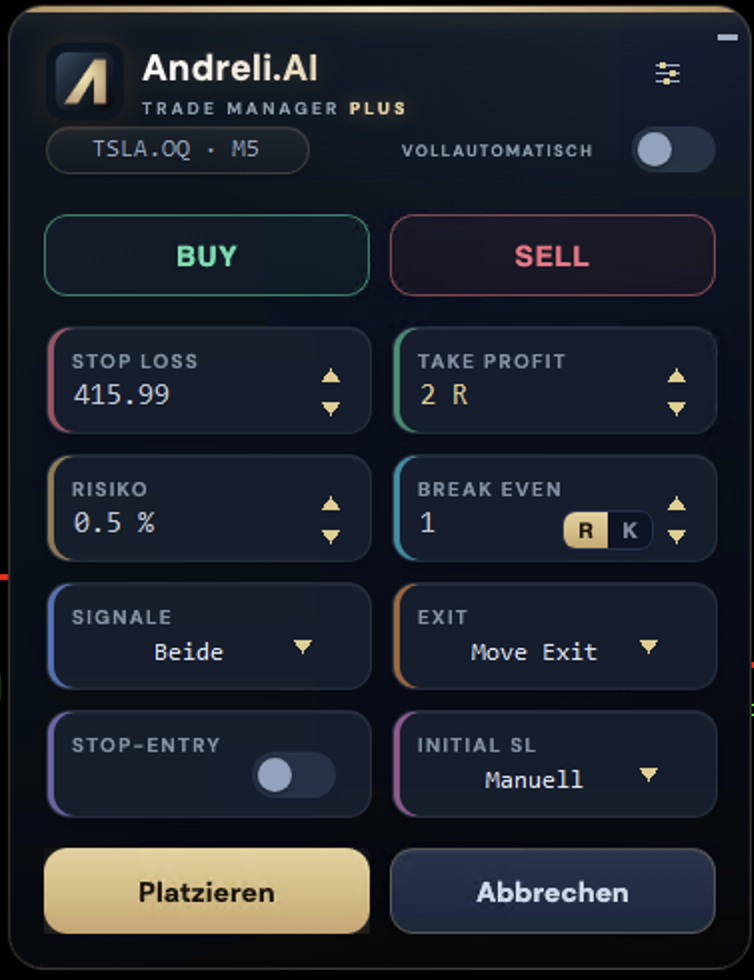
Trade Manager Plus · the trade panel
The manual grind
You know the strategy. The execution wears you down.
Every trade is the same routine: check the balance, work out the lot size, measure the stop distance,
place the order, trail the stop later, get out at the right moment. One wrong tap — and your risk is off.
The Trade Manager takes exactly these steps off your hands.
Lot size
Risk in, lots out
You type in your percentage risk. The Manager calculates the lot size exactly from balance and stop distance — consistent on every trade.
Entry
Drag the stop line
Drag the line to your level on the chart. Set your take-profit in R — the Manager places the order cleanly with one click.
Management
Break-even & trailing
Break-even, Move-Exit and the Bewegungsstopp run automatically. You don't have to watch every candle to trail the stop.
Plus
Setups marked
Plus recognises the Duo and Move setups from the book and marks them right on your chart — no more counting candles.
Plus
Filters you control
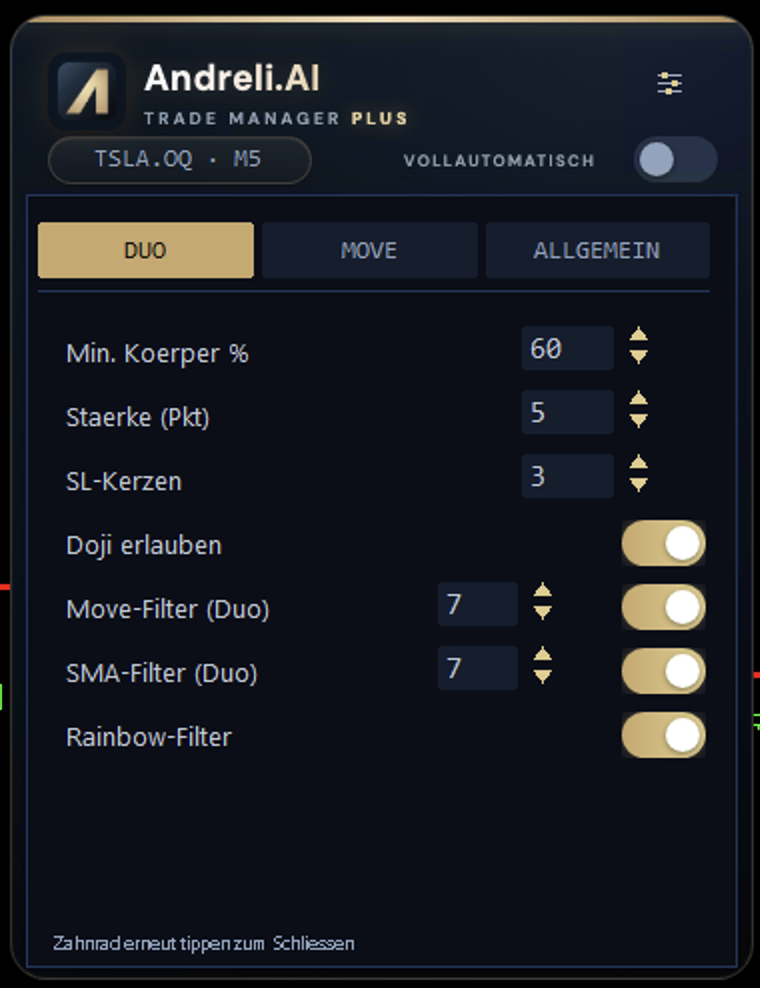
Rainbow, SMA and Move filters per strategy — neatly split into tabs. You decide which signals count.
Plus
Full auto, optional
Let it trade the filtered selection on a click — or hand it fully to the autopilot. Your choice, switchable any time.
How a trade works
In the market in three steps
01
Enter your risk
Set the percentage per trade. The lot size follows automatically — no mental math, no typos.
02
Drag the stop line
Drag the line to your level on the chart, pick the take-profit in R. The Manager measures the distance for you.
03
Place
One click — the order is live. Break-even, Move-Exit and trailing run from there on their own.
Two versions — clearly separated
Which one fits you?
Both are the same click panel in MetaTrader 5. The difference is one layer: with Classic you trade to your own plan, Plus additionally recognises the setups from the book and can trade them automatically.
Classic · €99.95
Trade Manager Classic
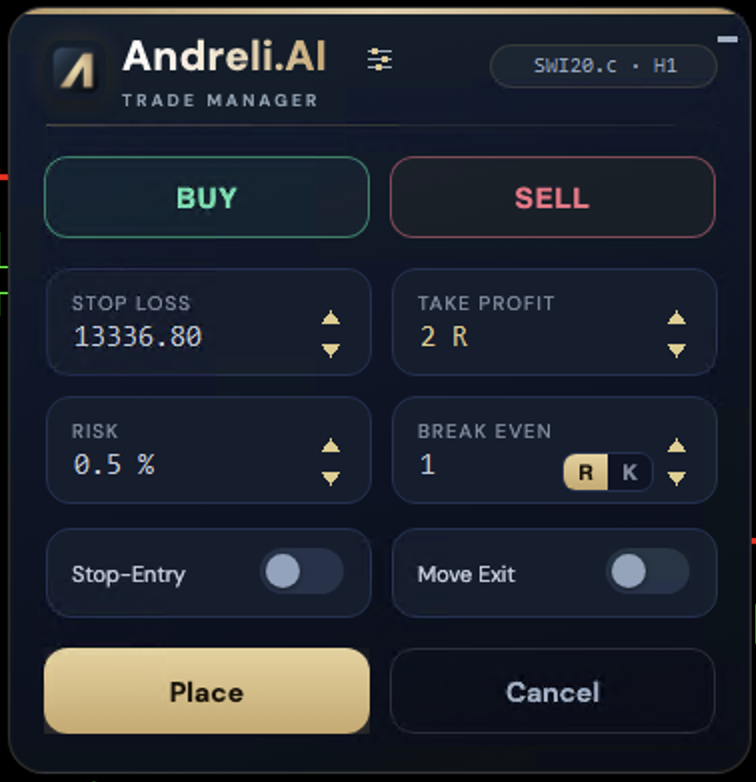
The lean click panel without the signal layer: enter your risk, drag the stop line, Place. Lot size, break-even and Move-Exit run automatically — you decide when and what you trade.
For you if you trade to your own plan and just want clean, automated execution.
On the chart — drag the stop line, Place, the Manager does the rest.
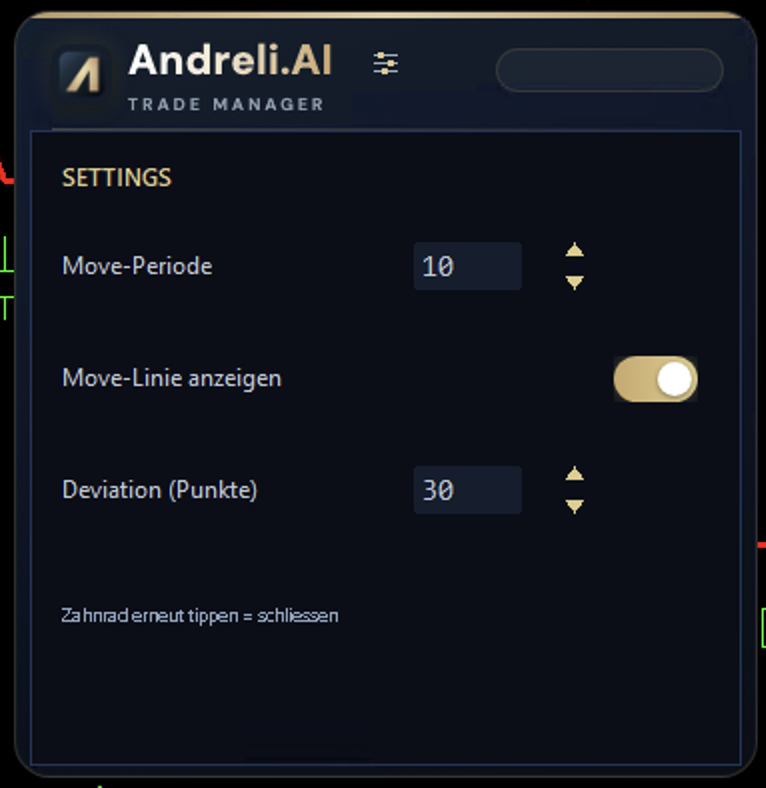
Main panel — the click panel.Settings — risk, BE & trailing.
Screenshots: MT5 version · MT4 nearly identical.
Plus · €249.95Recommended
Trade Manager Plus
Plus recognises the Duo and Move setups from the book, marks them right on the chart and manages the trade. The filters per strategy sit neatly in tabs — and on demand the autopilot trades the filtered selection entirely for you.
Also on board: the renowned Bewegungsstopp — a trailing stop praised in numerous trading books as one of the best and most effective there is. It trails your stop automatically as price moves in your favour, so you never have to watch the exit by hand.
For you if you want to trade the book strategy — or let it run fully automatic.
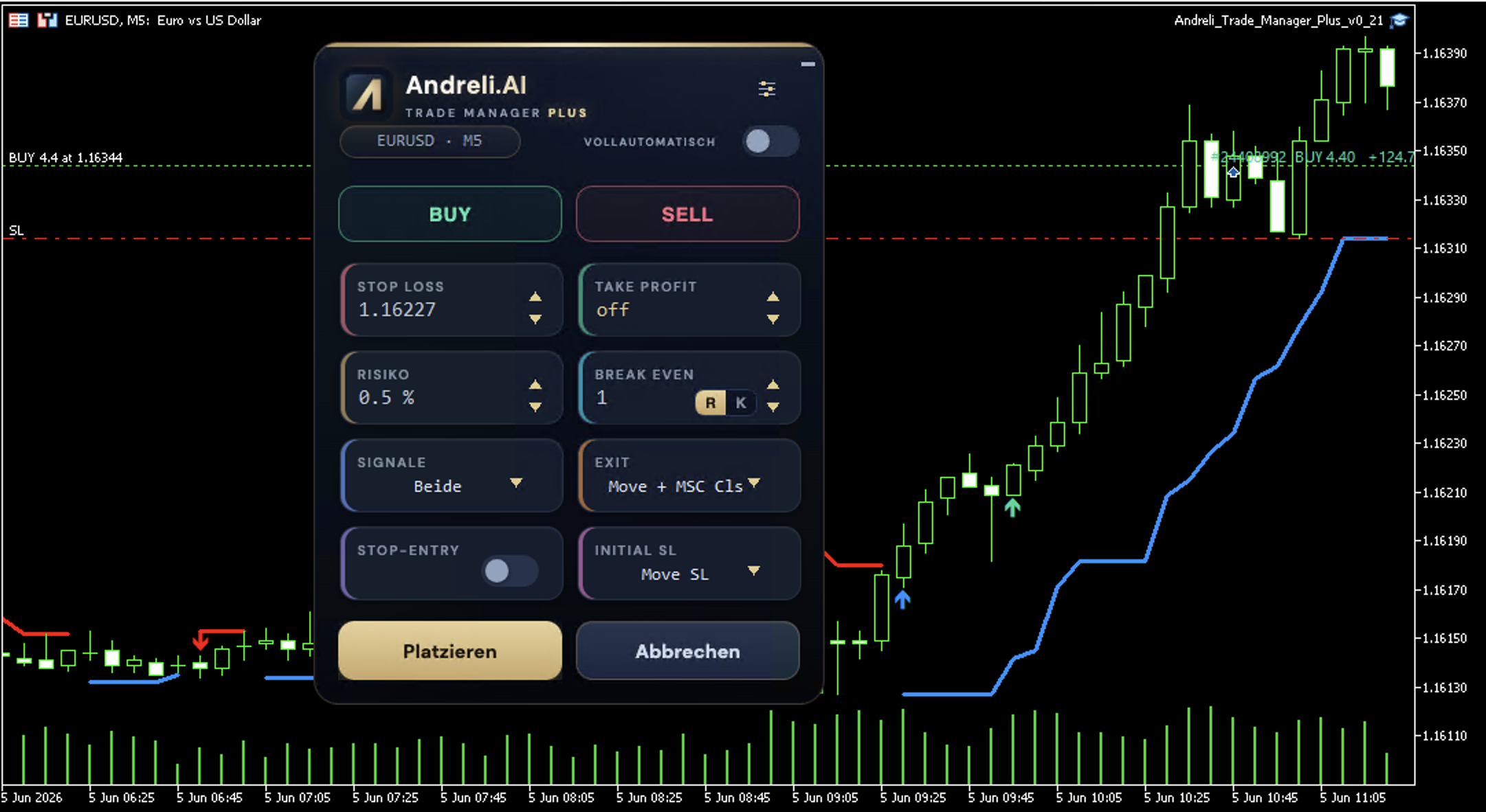
Live on the chart — Plus marks the Duo & Move signals, draws the Move line and manages the trade.
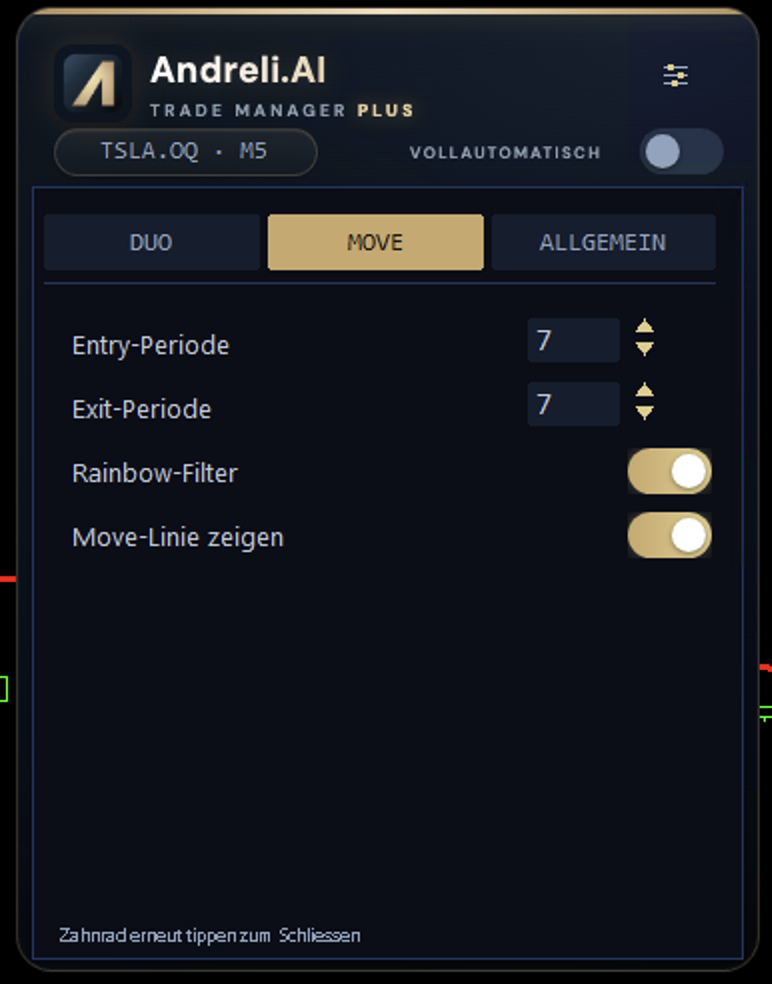
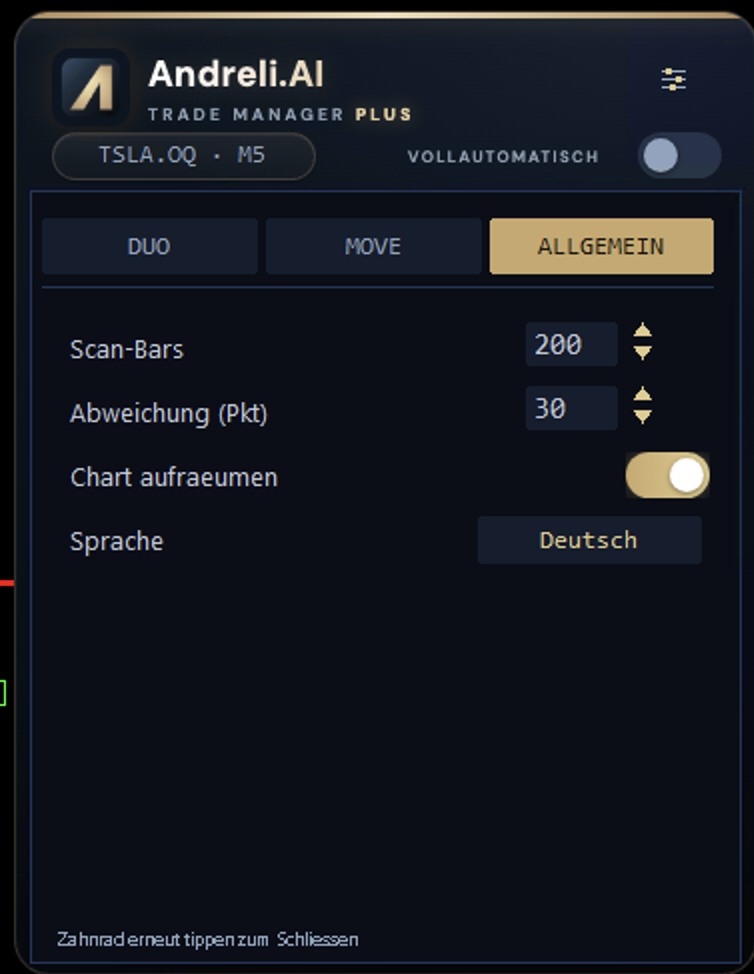
Main panel — Buy/Sell, risk, exit logic.Duo tab — body %, strength, filters.Move tab — its own Move parameters.General — language & full auto.
Screenshots: MT5 version · MT4 nearly identical.
Two tiers · one strategy
Choose your tool
Both build on the same panel. Plus adds the book signal layer and the autopilot. Pay once, use it for life.
MetaTrader 5
Updates included
License per account
Manual EN & DE
After purchase you get your license and download automatically by email. Sign-in and download run through your account at my.andreli.ai.
Understand first, then trade
Learn the strategy. Free.
The Trade Manager takes the manual grind off your hands — but it only gets powerful once you understand the setups behind it.
That's exactly what the book Signalhandel — Gewinne explains: Duo, Move, protection, exit.
At the end you see how the Manager marks the same setups and executes them for you.
Straight as a PDF — just enter your email and get the download right away. The book is currently available in German.
Questions
Quick answers
What's the difference between Classic and Plus?+
Classic is the trade panel: trade with one click, automatic lot size, draggable stop line, break-even and Move-Exit. Plus includes everything in Classic and adds the book signal layer — Duo and Move setups are marked on the chart, you can set filters and let the autopilot trade the filtered selection.
Is this a one-time payment or a subscription?+
One-time payment. You pay once and use the Trade Manager for life. Updates are included. No subscription, no recurring costs.
Which platform do I need?+
The Trade Manager runs in MetaTrader 5 with your own broker account. You install it as an Expert Advisor on your chart — the manual walks you through it step by step.
How do I get the download after buying?+
Right after purchase your license is created and you receive an email. You download the Trade Manager and the manual from your account at my.andreli.ai under "Downloads".
Do I have to read the book first?+
No — Classic works as a pure trade panel without the strategy. The book is free and helps you understand the Duo and Move setups that Plus marks on the chart. Our tip: read it first, then decide.
Does the Manager handle risk management?+
It calculates the lot size from your chosen risk and trails break-even and the stop automatically. The decision on what risk you run and whether you take a trade stays with you. Trading CFDs carries significant risk.